Seamless Vector Patterns
Designers, product developers, and creative entrepreneurs increasingly rely on seamless vector patterns—not just as decorative flourishes, but as functional, scalable assets embedded in real-world production workflows. Unlike static textures or raster repeats, a true seamless vector pattern tiles infinitely without visible seams, distortion, or resolution loss—making it indispensable for applications ranging from textile printing to digital surface design.
Why Seamless Vector Patterns Matter Today
The shift toward customization, small-batch manufacturing, and direct-to-consumer (DTC) product lines has elevated demand for flexible, production-ready design assets. A designer launching a line of organic cotton pillowcases doesn’t need one fixed print—they need a repeatable, editable, resolution-independent pattern that adapts seamlessly across fabric widths, garment panels, and packaging surfaces. That’s where seamless vector patterns deliver measurable value: they’re not just visually cohesive—they’re technically precise and workflow-integrated.
This isn’t about nostalgia for analog print methods or retro aesthetics. It’s about responsiveness. Modern textile printers, wide-format plotters, and even AI-assisted design tools expect clean vector inputs—paths, curves, and anchor points—not pixel-based approximations. When a pattern is built with mathematical precision and saved in native vector formats, it retains fidelity at any scale—from a 2-inch swatch label to a 10-foot trade show backdrop.
What’s Inside This Download—and Why Format Diversity Matters
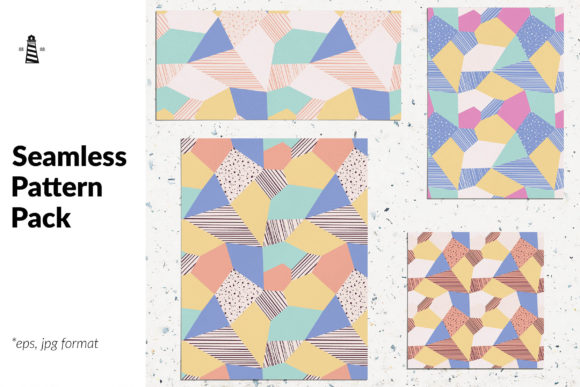
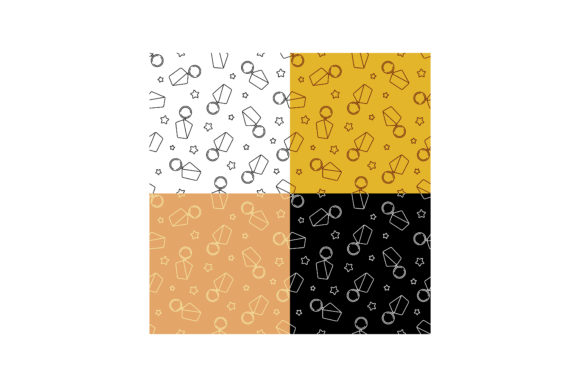
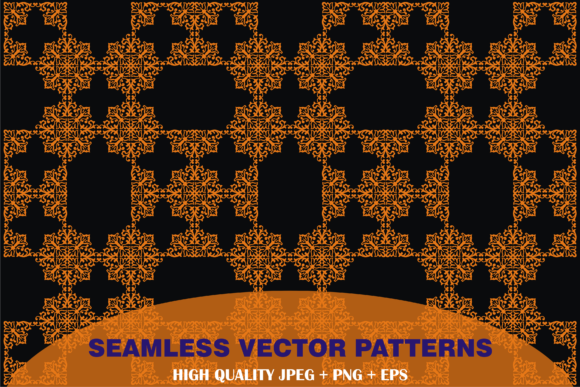
This collection includes one versatile seamless pattern delivered in four essential formats: a high-resolution JPEG (3600×2400 pixels), a transparent-background PNG (same dimensions), a CorelDRAW-compatible CDR file, and an industry-standard EPS file. Each serves a distinct purpose in today’s hybrid design ecosystem.
- JPEG: Ideal for quick previews, mood boards, client presentations, or web-based mockups—especially when transparency isn’t required and fast loading matters.
- PNG: Preserves crisp edges and supports alpha channels, making it perfect for layered digital mockups (e.g., applying the pattern to a 3D pillow render in Photoshop or Figma) or web UI elements where background blending is needed.
- CDR: Enables full editability for designers using CorelDRAW—adjusting colors, repositioning motifs, or modifying spacing without raster degradation. Particularly valuable for studios and print houses still operating on Corel-based prepress pipelines.
- EPS: Universally supported across Adobe Illustrator, Inkscape, and even Photoshop (via “Place Embedded”). Offers maximum compatibility for vector editing, color separation prep, and CMYK output—critical for commercial textile production where Pantone matching or spot-color workflows are standard.
All files are delivered at 100–300 dpi resolution, optimized for both screen use and professional print. There’s no watermark, no upsell, no hidden layers—just clean, production-grade assets ready for immediate integration.
How Design Workflows Have Changed—and What That Means for Pattern Use
Five years ago, many designers sourced patterns from subscription libraries or royalty-free marketplaces—often limited to single-format downloads, inconsistent tiling logic, or unclear licensing. Today’s professionals expect more: clarity around usage rights, format flexibility, and technical reliability. They also expect patterns to behave predictably inside collaborative tools—whether shared via Figma plugins, synced through cloud-based asset managers, or imported into parametric design platforms like Grasshopper or Generative Design in Fusion 360.
That’s why having both vector and high-res raster versions in one package isn’t just convenient—it’s strategic. A freelance surface designer might sketch a new bedding concept in Procreate (using the JPEG as a base layer), refine the repeat structure in Illustrator (using the EPS), then hand off the CDR file to a partner studio running older CorelDRAW versions for final press prep. Meanwhile, the brand’s marketing team uses the PNG to build social media templates in Canva—ensuring visual consistency across physical and digital touchpoints.
Real-World Applications Beyond the Obvious
While fabrics, sheets, and pillowcases remain core use cases, seamless vector patterns are quietly expanding into adjacent domains:
- Product packaging: Repeating motifs on kraft paper boxes or biodegradable mailers benefit from vector scalability—no blurring at fine print sizes or embossing zones.
- Web and app UI backgrounds: Subtle, low-contrast seamless patterns add texture to dashboards or landing pages without increasing load time—especially when served as optimized SVGs (easily derived from the EPS source).
- Educational materials: Teachers and course creators use these patterns to design printable worksheets, flashcards, or presentation templates—where consistent tiling ensures alignment across multi-page documents.
- Small-batch ceramics and stationery: Artists applying patterns to ceramic decals or letterpress plates rely on vector accuracy to avoid registration errors during burn-in or plate-making.
None of this requires advanced technical knowledge—but it does require assets built with intention. A pattern that looks beautiful on screen but fails to tile cleanly at 300% zoom—or one that imports into Illustrator with broken paths or ungrouped layers—adds friction, not efficiency.
Practical Tips for Getting the Most From This Pattern Set
Start by opening the EPS file in Illustrator or Inkscape. Zoom in to verify the tile boundaries: the top edge should align exactly with the bottom, and the left with the right—no gaps, no overlaps. If you plan to recolor the pattern, use Global Swatches (Illustrator) or Named Colors (Inkscape) so changes propagate instantly across all instances.
For textile use, export separations directly from the vector file—don’t convert to raster first. If your printer requests a specific DPI or bleed size, scale the artboard—not the pattern itself—to preserve vector integrity. And when preparing for digital mockups, use the PNG with a soft layer blend mode (like Multiply or Overlay) to simulate how the pattern interacts with underlying textures or lighting effects.
Finally, treat the JPEG not as a fallback—but as a reference tool. Its high resolution (3600×2400) means it holds up well in printed spec sheets or pitch decks, especially when paired with a brief note about the underlying vector structure: “Built for infinite repeat; fully editable in Illustrator, CorelDRAW, or Inkscape.” That kind of clarity builds trust with clients and collaborators alike.
Looking Ahead—Without Overpromising
There’s growing interest in generative pattern tools, AI-assisted tiling algorithms, and real-time collaboration features within design software—but none replace the foundational need for clean, well-constructed, interoperable assets. Seamless vector patterns won’t become obsolete because they’re being automated; they’ll become more essential because automation depends on reliable inputs.
What’s changing isn’t the pattern itself—but how it moves between people, tools, and outputs. The CDR file connects with legacy systems. The EPS bridges Adobe and open-source ecosystems. The PNG and JPEG meet everyday communication needs. Together, they form a pragmatic bridge between craft and scale—between idea and execution.
If you're developing products, building brands, teaching design, or simply exploring surface pattern work, having access to a single, well-documented, multi-format seamless vector pattern removes guesswork. It saves time spent troubleshooting import errors or rebuilding repeats from scratch. And it lets you focus on what matters most: thoughtful application, intentional repetition, and meaningful visual storytelling—across every surface you touch.